
Anúncios
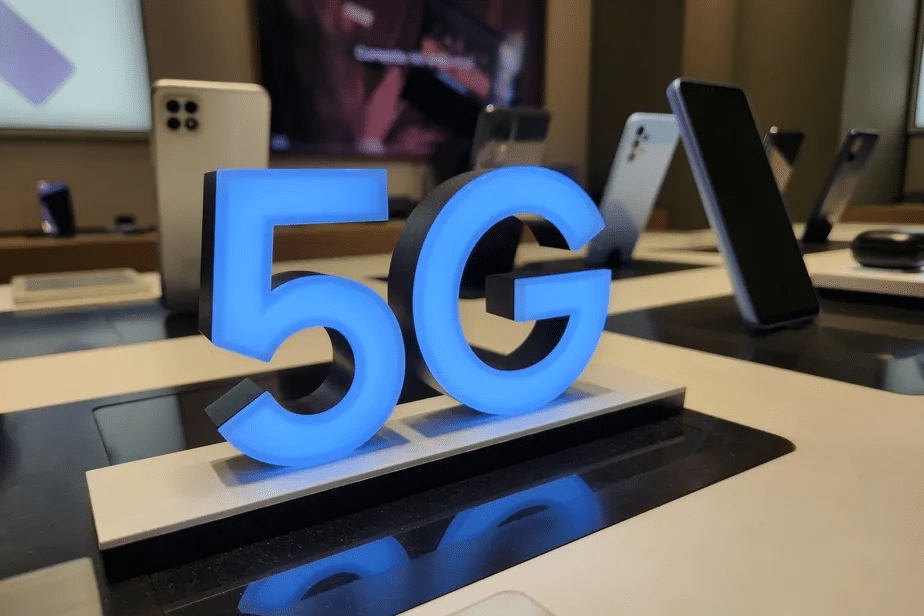
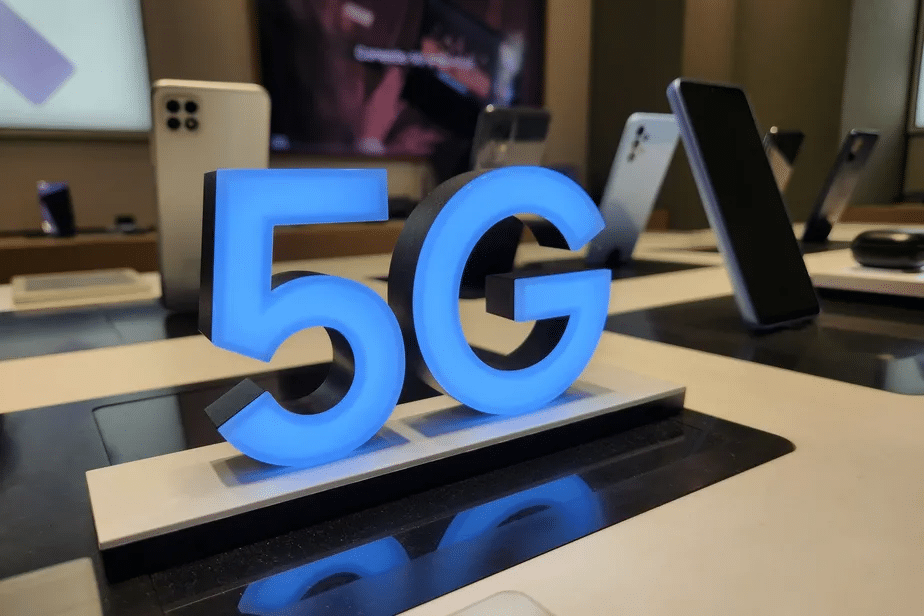
5G technology is transforming mobile connectivity worldwide, offering faster speeds, lower latency, and improved network performance for smartphones and other devices.


As 5G networks continue expanding globally, millions of smartphone users are eager to experience the benefits of this next-generation technology. However, simply owning a 5G-capable device doesn’t automatically guarantee you’re using the fastest available connection. Understanding how to properly activate and optimize 5G on your mobile phone ensures you’re getting the most out of your device and carrier plan.
Anúncios
Whether you’re streaming high-definition content, participating in video conferences, or downloading large files on the go, activating 5G properly can dramatically enhance your mobile experience. This comprehensive guide walks you through everything you need to know about enabling 5G connectivity across different smartphone platforms and carriers. 📱
Understanding 5G Compatibility Before Activation
Before attempting to activate 5G on your device, confirming your phone’s compatibility is essential. Not all smartphones support 5G technology, and even among those that do, there are different types of 5G networks with varying capabilities.
Anúncios
Most flagship smartphones released after 2020 include 5G support, but mid-range and budget devices vary significantly. Check your phone’s specifications by visiting the manufacturer’s website or reviewing the documentation that came with your device. Look for terms like “5G-enabled,” “5G-ready,” or specific band support information.
Additionally, verify that your mobile carrier offers 5G coverage in your area. Coverage maps are typically available on carrier websites, showing where 5G signals are strongest. Even with a compatible phone, you’ll need to be within range of 5G towers to access the network. 🗼
Checking Your Current Mobile Plan and SIM Card
Many carriers require specific plans to access 5G networks. Contact your mobile provider or check your account online to confirm whether your current subscription includes 5G access. Some carriers automatically include 5G at no extra cost, while others offer it as a premium add-on.
Your SIM card also plays a crucial role in 5G connectivity. Older SIM cards may not support 5G technology, even if your phone and plan do. If you’ve been using the same SIM for several years, consider requesting a 5G-compatible SIM from your carrier. Most providers offer free replacements, and the swap typically takes just minutes at a carrier store.
In some regions, eSIM technology provides an alternative to physical SIM cards. Many modern 5G phones support eSIM activation, which can be configured directly through your device settings after purchasing a compatible plan from your carrier.
Activating 5G on iPhone Devices 🍎
Apple has included 5G support in iPhone models starting with the iPhone 12 series. Activating 5G on iOS devices follows a straightforward process through the Settings app.
Open the Settings app on your iPhone and navigate to “Cellular” or “Mobile Data,” depending on your region. Tap on “Cellular Data Options” or “Mobile Data Options.” You’ll find a menu labeled “Voice & Data” where different network options appear.
Here you’ll see several choices including LTE, 5G On, and 5G Auto. The “5G On” option keeps your iPhone connected to 5G networks whenever available, maximizing speed but potentially consuming more battery. The “5G Auto” setting intelligently switches between 5G and LTE based on your usage, conserving battery life when high speeds aren’t necessary.
For most users, “5G Auto” provides the best balance between performance and battery efficiency. However, if you want consistently maximum speeds and don’t mind slightly reduced battery life, select “5G On.” Your iPhone will immediately begin searching for available 5G networks and connect when in range.
Enabling 5G on Android Smartphones 🤖
Android devices vary significantly across manufacturers, so the exact steps for activating 5G differ slightly between brands. However, the general process remains similar across most Android phones.
Start by opening the Settings app on your Android device. Look for options labeled “Connections,” “Network & Internet,” or “Mobile Networks,” depending on your phone’s manufacturer and Android version. Tap on “Mobile Networks” or “SIM Card & Mobile Data.”
Within this menu, you should find an option called “Preferred Network Type,” “Network Mode,” or similar terminology. Tap this option to reveal the available network types your phone supports. Look for options that include 5G, such as “5G/4G/3G/2G (Auto),” “5G/LTE/3G/2G,” or simply “5G.”
Select the option that includes 5G at the beginning of the list. This ensures your phone prioritizes 5G connections when available while falling back to 4G LTE or other networks when 5G isn’t accessible. Your phone will automatically scan for 5G networks and connect within seconds if coverage exists in your location.

Brand-Specific Activation Instructions
While the general Android process applies broadly, some manufacturers implement unique interfaces that require slightly different navigation paths.
Samsung Galaxy Devices
Samsung users should open Settings, tap “Connections,” then select “Mobile Networks.” Under “Network Mode,” choose “5G/LTE/3G/2G (auto connect)” or the highest option that includes 5G. Samsung devices often display a 5G icon in the status bar when successfully connected.
Google Pixel Phones
Pixel owners running Android 12 or later should navigate to Settings > Network & Internet > SIMs. Select your active SIM card, tap “Preferred network type,” and choose “5G (recommended)” or “5G (Connect to 5G networks when available).” Google’s implementation typically offers the most straightforward activation process.
OnePlus Devices
OnePlus users can find 5G settings under Settings > Mobile Network > SIM card settings. Select your primary SIM and tap “Preferred network type.” Choose the option that includes 5G at the top of the network priority list.
Xiaomi and Redmi Phones
For Xiaomi devices running MIUI, open Settings > SIM cards & mobile networks > select your SIM > Preferred network type. Choose “Prefer 5G” or “5G/4G/3G/2G” to enable 5G connectivity. Xiaomi phones often include additional 5G optimization settings under Developer Options for advanced users.
Verifying Your 5G Connection Is Active ✅
After enabling 5G in your settings, confirming that your device successfully connected to a 5G network is important. The most obvious indicator is the network icon in your status bar, which should display “5G,” “5G+,” “5G UW,” or similar variations depending on your carrier and the type of 5G network available.
Different 5G network types exist, each with distinct performance characteristics. “5G” typically indicates sub-6GHz 5G, offering improved speeds over 4G with wider coverage. “5G+,” “5G UW” (Ultra Wideband), or “5G UC” (Ultra Capacity) represent mmWave or mid-band 5G, delivering significantly faster speeds but with more limited range.
To thoroughly test your connection, run a speed test using apps specifically designed for mobile networks. Download speeds on 5G networks typically range from 100 Mbps to over 1 Gbps, depending on network congestion, signal strength, and the specific 5G technology deployed in your area. Upload speeds also see substantial improvements compared to 4G LTE.
Troubleshooting Common 5G Activation Issues 🔧
If you’ve followed the activation steps but still don’t see a 5G connection, several factors might be preventing successful activation.
First, double-check that you’re in an area with confirmed 5G coverage. Even in cities with 5G networks, coverage can be spotty, with dead zones between towers. Try moving to different locations, preferably outdoors with a clear line of sight to cell towers.
Restart your phone after changing network settings. A simple reboot often resolves connectivity issues by forcing your device to re-scan for available networks and establish fresh connections with cell towers.
Ensure your phone’s software is up to date. Manufacturers regularly release updates that improve 5G connectivity, fix bugs, and optimize network performance. Check for system updates in your Settings app under “Software Update” or “System Updates.”
If problems persist, try toggling Airplane Mode on and off. Enable Airplane Mode, wait 30 seconds, then disable it. This forces your phone to disconnect from all networks and reconnect, potentially resolving temporary connection glitches.
Contact your carrier’s customer support if none of these steps work. They can verify whether 5G is properly provisioned on your account, confirm your SIM card compatibility, and check for any network-side issues affecting your service.
Optimizing Battery Life While Using 5G 🔋
One common concern about 5G technology is its impact on battery life. 5G modems do consume more power than 4G, particularly when using mmWave frequencies or maintaining constant high-speed connections.
Most modern smartphones include intelligent network switching features that automatically toggle between 5G and 4G based on your current activity. On iPhones, the “5G Auto” mode handles this intelligently. Android devices often include similar “Smart 5G” or “Adaptive Connectivity” options that balance performance with battery conservation.
When you’re not actively using data-intensive applications, consider temporarily switching to LTE to extend battery life. This is particularly useful during long days when charging opportunities are limited. You can quickly toggle back to 5G when you need maximum speeds for downloads, streaming, or video calls.
Reducing screen brightness, closing background apps, and enabling battery saver modes also help offset the additional power consumption of 5G connectivity. Modern phone batteries and efficient processors have largely mitigated the battery impact, but mindful usage still makes a difference.
Understanding Different Types of 5G Networks
Not all 5G networks deliver the same experience. Carriers deploy three main types of 5G technology, each with distinct characteristics affecting speed, coverage, and reliability.
Low-band 5G operates on frequencies below 1 GHz, offering coverage areas similar to 4G LTE but with modest speed improvements. This type provides the widest coverage and best building penetration, making it ideal for suburban and rural areas. Speeds typically range from 50-250 Mbps.
Mid-band 5G uses frequencies between 1-6 GHz, striking a balance between speed and coverage. This “sweet spot” delivers significantly faster speeds (typically 100-900 Mbps) while maintaining reasonable coverage areas. Mid-band 5G represents the most common deployment strategy globally.
High-band 5G (mmWave) operates on frequencies above 24 GHz, delivering blazing-fast speeds exceeding 1 Gbps. However, mmWave signals don’t travel far and struggle to penetrate buildings or obstacles. This technology works best in dense urban areas, stadiums, and other high-traffic locations where ultra-fast speeds benefit many users simultaneously.
Regional Considerations and Carrier Differences 🌍
5G deployment varies significantly across countries and regions. In the United States, major carriers like Verizon, AT&T, and T-Mobile have invested billions in 5G infrastructure, with T-Mobile offering the most extensive mid-band coverage and Verizon focusing heavily on mmWave deployment in urban centers.
European countries have taken different approaches, with some nations leading in 5G adoption while others lag behind due to regulatory challenges or infrastructure investment priorities. Asian markets, particularly South Korea, China, and Japan, have aggressively deployed 5G networks with extensive coverage in major cities.
When traveling internationally, remember that 5G band support varies between regions. A phone that works perfectly on 5G networks in your home country might only access 4G when traveling abroad if it doesn’t support the specific 5G bands deployed in that region. Check your phone’s supported bands and the target country’s 5G deployment before traveling.
Future-Proofing Your 5G Experience
As 5G technology continues evolving, staying informed about network improvements and device capabilities ensures you maintain optimal connectivity. Carriers regularly expand coverage, add new towers, and upgrade existing infrastructure to support more users and faster speeds.
Keep your device’s software updated to receive the latest network optimizations, security patches, and feature improvements. Manufacturers work closely with carriers to refine 5G performance through software updates, sometimes delivering noticeable speed and reliability improvements without requiring new hardware.
Consider your next phone purchase carefully. If you’re currently using a first-generation 5G device, newer models offer improved modem efficiency, better battery life, and support for additional 5G bands. However, unless you’re experiencing specific limitations, most 5G phones from the past two years remain highly capable.
Monitor your carrier’s announcements about network expansions and new 5G technologies. Some carriers are beginning to deploy standalone 5G networks (SA 5G) that don’t rely on 4G infrastructure, offering improved latency and more efficient spectrum usage. These next-generation networks will automatically benefit compatible devices once activated in your area.
Maximizing Your 5G Connection for Specific Uses 📲
Different activities benefit from 5G connectivity in unique ways. Understanding how to optimize your connection for specific use cases enhances your overall mobile experience.
For video streaming, 5G enables buffer-free playback at higher resolutions. Streaming services like Netflix, YouTube, and Disney+ automatically adjust quality based on connection speed. On 5G, you’ll consistently stream 4K content without interruption, even in crowded areas where 4G networks might struggle.
Cloud gaming services such as Xbox Cloud Gaming, GeForce NOW, and PlayStation Remote Play become truly mobile on 5G networks. The reduced latency and high bandwidth enable responsive gameplay with minimal input lag, approaching the experience of local gaming on a console or PC.
Video conferencing benefits enormously from 5G’s low latency and upload speeds. Platforms like Zoom, Microsoft Teams, and Google Meet deliver crisp, stable video quality without the freezing or pixelation common on congested 4G networks. This makes mobile video calls viable even in professional settings.
Large file downloads and uploads that previously required Wi-Fi connections become feasible over 5G. Downloading multi-gigabyte apps, games, or media files completes in minutes rather than hours. Cloud backup services can sync photos, videos, and documents seamlessly without waiting for Wi-Fi access.
Security Considerations on 5G Networks 🔒
While 5G technology includes improved security features compared to previous cellular generations, maintaining good security practices remains essential for protecting your data and privacy.
5G networks implement stronger encryption protocols and more sophisticated authentication mechanisms than 4G. However, these protections primarily secure the connection between your device and cell towers. Your data’s security when accessing websites or apps still depends on those services implementing proper encryption.
Always use HTTPS connections when browsing websites and ensure apps come from trusted sources like official app stores. Consider using a reputable VPN service when accessing sensitive information over mobile networks, adding an extra encryption layer regardless of the underlying network technology.
Be cautious about connecting to unknown networks. While less common with cellular connections, some security researchers have demonstrated fake cell tower attacks. Keeping your phone’s software updated helps protect against these sophisticated threats as manufacturers patch known vulnerabilities.
Making the Transition from 4G to 5G Seamless
Switching to 5G doesn’t mean abandoning 4G LTE entirely. Modern smartphones seamlessly transition between network types based on availability and signal strength, ensuring you maintain connectivity even in areas without 5G coverage.
This automatic switching happens transparently in the background. When you move from a 5G coverage area to a location with only 4G service, your phone instantly connects to the strongest available signal without dropping calls or interrupting data sessions.
Some users prefer manually controlling when their device uses 5G. If you’re satisfied with 4G speeds for most tasks and want to maximize battery life, you can disable 5G in your settings and manually enable it only when needed for specific activities requiring maximum bandwidth.
Remember that as 5G networks mature and carriers add more towers, coverage gaps will decrease. What might be spotty 5G coverage today will likely become reliable service within the next year or two as infrastructure investments continue.
Unlocking the Full Potential of 5G Technology 🚀
Activating 5G on your smartphone opens doors to mobile experiences that were previously impossible or impractical. From instant access to cloud-based applications to real-time collaborative work on the go, 5G transforms how we use mobile devices in daily life.
As augmented reality and virtual reality applications become more sophisticated, 5G’s low latency and high bandwidth will prove essential for smooth, responsive experiences. Early AR navigation apps, virtual try-on shopping experiences, and immersive gaming already demonstrate these possibilities.
The Internet of Things ecosystem also benefits from widespread 5G adoption. Your smartphone becomes a more powerful hub for controlling smart home devices, vehicle systems, and wearable technology, with near-instantaneous communication between devices.
By properly activating and optimizing 5G on your device, you’re not just accessing faster internet speeds—you’re participating in a fundamental shift in mobile connectivity that will define the next decade of digital innovation. Take the time to explore your phone’s settings, understand your carrier’s offerings, and experiment with the capabilities that 5G enables. The future of mobile connectivity is here, and it’s remarkably fast. ⚡
